Best Offline Security Cameras: No‑Internet Surveillance Options
Discover offline security cameras that work without internet, learn how they store video locally, and get setup tips for a privacy‑first home surveillance system.
When working with Offline Home Security, a security setup that works without internet or cellular connections, relying on local power, wired or battery‑linked devices. Also known as standalone security, it keeps your property safe even when networks go down. This approach offline home security encompasses tools that run on their own power and communicate via radio or wired links. It requires devices that can detect movement, capture video, and trigger alarms without any cloud service. In short, the system does what you need even when the broadband router is offline.
Key technologies make a fully independent system possible. Night Vision, technology that captures images in total darkness using infrared or thermal imaging lets you see intruders at midnight without a light switch. Motion Sensors, devices that detect movement through PIR, microwave, or dual‑tech methods act as the eyes of the system, sending alerts the moment something shifts. And Alarm Systems, wired or battery‑powered panels that emit sirens and flash lights when a breach occurs provide the audible deterrent that scares away burglars. Together they form a security triangle: night vision enables surveillance, motion sensors trigger alarms, and alarms announce the breach.
Many homeowners choose offline setups because they want total control. When the power fails, a battery‑backed alarm still sounds, and a solar‑charged night‑vision camera keeps recording. Smart doorbells can also run on local radio networks instead of Wi‑Fi; a Smart Doorbell, video doorbell that works over a proprietary RF link or wired connection will still let you see who’s at the door, even if your ISP is down. The benefit is clear: no subscription fees, no data leaks, and a system that doesn’t depend on a third‑party server.
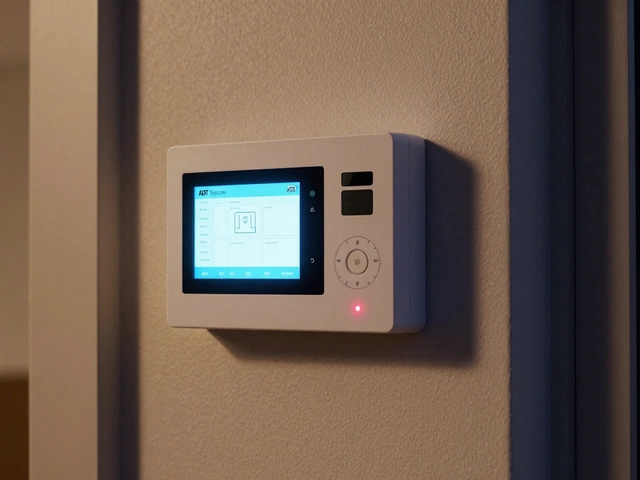
Installation is straightforward if you keep things simple. Start with a central control panel that supports both wired and wireless inputs. Connect your night‑vision cameras to the panel using coax or Ethernet—no internet required, just power and a video feed. Wire motion sensors to the same panel; most models use 12‑V DC and can be mounted on doors, windows, or corners. If you prefer wireless, choose sensors that run on long‑life batteries and pair via a secure 2.4 GHz protocol. Remember to label each device, so troubleshooting later is painless.
Maintenance matters more than you think. Test alarm sirens each month, replace batteries in sensors before they hit the low‑power warning, and clean camera lenses to keep night‑vision performance sharp. Many users overlook firmware updates that fix false‑trigger bugs; even offline devices can receive updates via USB or a temporary wired connection. A quick checklist—power check, sensor test, video review—keeps the whole network reliable without any cloud monitoring.
Integration with other home safety tools adds extra layers. A smoke detector that talks to the same control panel can trigger the alarm siren when fire is detected, giving you dual protection. Similarly, a flood sensor can sound the same alert, letting you handle water damage even if you’re not at home. Because everything talks over the local network, you can set custom rules: for example, “if motion is detected after midnight and the door sensor is open, flash the exterior lights for 30 seconds.” Such automation works without any internet traffic.
All of these pieces—night vision, motion sensors, alarm systems, and smart doorbells—create a resilient shield that works without the cloud. Below you’ll find a curated list of articles that dive deeper into each tool, walk you through real‑world setups, and compare the best products for a truly offline security system. Whether you’re planning a brand‑new install or retrofitting an older home, the guides will give you the practical steps you need to stay protected even when the internet is out.
Discover offline security cameras that work without internet, learn how they store video locally, and get setup tips for a privacy‑first home surveillance system.