Baby Monitor Decision Tool
Answer 4 simple questions to find the best monitoring solution for your family.
I need to check my phone remotely often.
I mostly stay within the house.
I worry about hacking risks.
I want AI analytics and high res video.
Frequent outages or slow speeds.
Works okay, but gets congested.
High-speed fiber, very stable.
One-time purchase only.
Willing to pay for cloud storage/features.
Recommended Choice
It is 3 AM. You are exhausted, half-asleep, and you hear a faint noise from the nursery. Do you grab your smartphone to check the feed, or do you pick up a dedicated handheld screen that has been sitting on your nightstand for months? This split-second decision defines the difference between Wi-Fi baby monitors and traditional radio-frequency models.
The short answer to "do baby monitors work on Wi-Fi" is yes, many of them do. But just because they can doesn't mean they should be your first choice. The market is flooded with smart home gadgets promising seamless integration, but parents often find themselves troubleshooting app crashes instead of sleeping. Understanding how these devices actually connect-and what happens when your internet goes down-is crucial for making a safe, reliable choice for your family.
How Wi-Fi Baby Monitors Actually Work
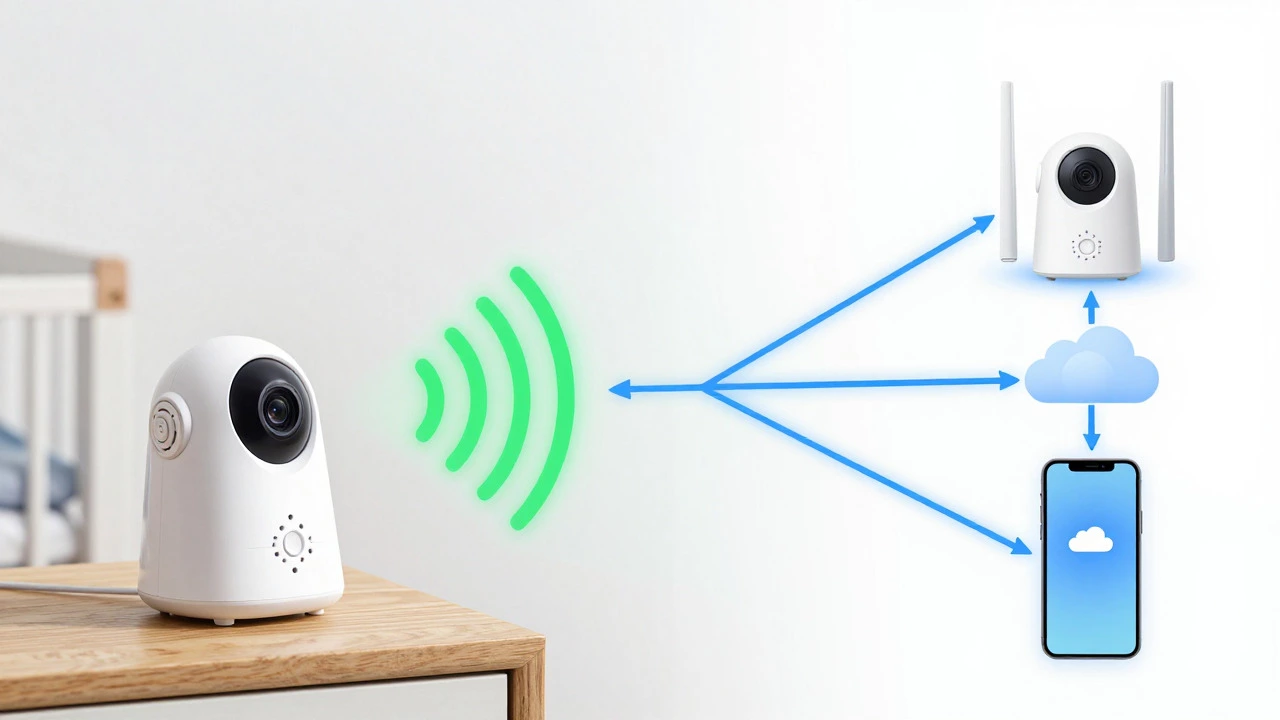
When you buy a Wi-Fi baby monitor that connects to your home network to stream video to your phone, you aren't just buying a camera; you are adding another node to your home's digital infrastructure. These devices plug into your router via your wireless signal (usually the 2.4GHz band) and transmit data through your internet service provider’s cloud servers before reaching your smartphone app.
This architecture allows for incredible flexibility. You can check on your child while you are at the office, in the grocery store, or even on vacation thousands of miles away. Brands like Nest and Nanit popularized this approach around 2014-2016, turning baby monitoring into a remote-access experience. However, this convenience comes with a dependency chain: Camera → Router → Internet Service Provider → Cloud Server → Your Phone. If any link in that chain breaks, the feed stops.
In contrast, Non-Wi-Fi baby monitors operate on independent radio frequencies without needing internet access use a direct, closed connection between the nursery unit and a dedicated parent display. They operate similarly to walkie-talkies, using technologies like FHSS (Frequency-Hopping Spread Spectrum) to maintain a stable signal within a range of 1,000 to 1,300 feet in open spaces. There is no cloud, no app, and no internet required. It is a simple, local loop that works as long as both units have power.
The Security Reality: Hacking Risks vs. Closed Systems
Security is the biggest concern for modern parents. When a device connects to the internet, it exposes a potential entry point for hackers. According to data from the International Association of Privacy Professionals (IAPP), there were 127 reported breaches of Wi-Fi baby monitor systems in 2024 alone. While most incidents involve low-level snooping, high-profile cases-like the January 2025 incident where a Foscam monitor was hacked to harass a family-highlight the real stakes.
Wi-Fi monitors rely on software encryption, typically AES-256, to protect data. This is strong encryption, but it requires regular firmware updates to stay secure. If you forget to update the app or the manufacturer stops supporting an older model, vulnerabilities remain open. Furthermore, every Wi-Fi monitor requires you to create a cloud account, handing over personal data to third-party servers.
Non-Wi-Fi models offer a different kind of security: obscurity and isolation. Because they do not connect to the internet, they are invisible to remote hackers. Caitlin Fennessy, VP at the IAPP, notes that non-Wi-Fi monitors are the most straightforward way to prevent remote access to video feeds. In 2024, there were zero documented cases of remote hacking for traditional radio-frequency monitors. Their limitation is physical proximity-if someone is in your house, they could potentially intercept the signal, but they cannot hack it from halfway across the world.
| Feature | Wi-Fi Baby Monitor | Non-Wi-Fi Baby Monitor |
|---|---|---|
| Connectivity | Home Wi-Fi Network & Internet | Direct Radio Frequency (FHSS) |
| Remote Access | Yes, anywhere with internet | No, limited to home range |
| Latency (Lag) | 2-5 seconds (variable) | Near-instantaneous (<0.5s) |
| Setup Time | 35-55 minutes | 10-20 minutes |
| Security Risk | Vulnerable to remote hacking if unpatched | Immune to remote hacking |
| Cost Structure | Higher upfront + potential subscriptions | One-time purchase only |
| Outage Performance | Fails completely | Works normally |
Reliability and Latency: Why Lag Matters
You might think a few seconds of delay doesn't matter, but when you are listening for breathing patterns or sudden cries, latency is critical. Wi-Fi monitors route video through multiple servers, creating an average lag of 2 to 5 seconds. During peak network usage hours-when everyone in the house is streaming Netflix or downloading updates-this lag can increase, and video quality may degrade by up to 40% if five or more devices are competing for bandwidth.
Non-Wi-Fi monitors provide near-instantaneous transmission. Consumer Reports' 2025 testing confirmed that radio-frequency models maintain consistent performance regardless of what else is happening on your home network. They are immune to router congestion, ISP outages, or server downtime. If your internet goes down during a storm, your Wi-Fi monitor becomes a paperweight. Your non-Wi-Fi monitor keeps working, provided it has power.
Battery life also differs significantly. Wi-Fi cameras consume more power due to constant data transmission and processing. Non-Wi-Fi parent units typically last 7 to 12 hours on a single charge, whereas Wi-Fi-dependent setups often require the camera to remain plugged in at all times, and the smartphone app drains your phone battery quickly if left open overnight.
Features: Smart Analytics vs. Simplicity
If reliability isn't your primary concern, Wi-Fi monitors win on features. They integrate with smart home ecosystems like Alexa and Google Home, allowing you to view the feed on Echo Show devices or receive voice alerts. Advanced models from brands like Nanit offer AI-powered sleep analytics, detecting sleep stages with 92% accuracy. Eufy’s newer models can detect crying episodes within 5 seconds and send instant notifications to your phone.
Video quality is generally higher on Wi-Fi models, with many offering 1080p or even 4K resolution, superior night vision, and two-way audio that sounds clearer due to better microphones and speakers. Non-Wi-Fi models usually cap out at 720p or 1080p, with simpler feature sets focused on core monitoring tasks: see the baby, hear the baby, talk to the baby.
However, these advanced features come with costs. Many premium Wi-Fi monitors now require monthly subscriptions for cloud storage, ranging from $5 to $15 per month. Without the subscription, you might lose access to recorded clips or historical data. Non-Wi-Fi monitors have no hidden fees. You pay once, and you own the functionality forever.
The Rise of Hybrid Models
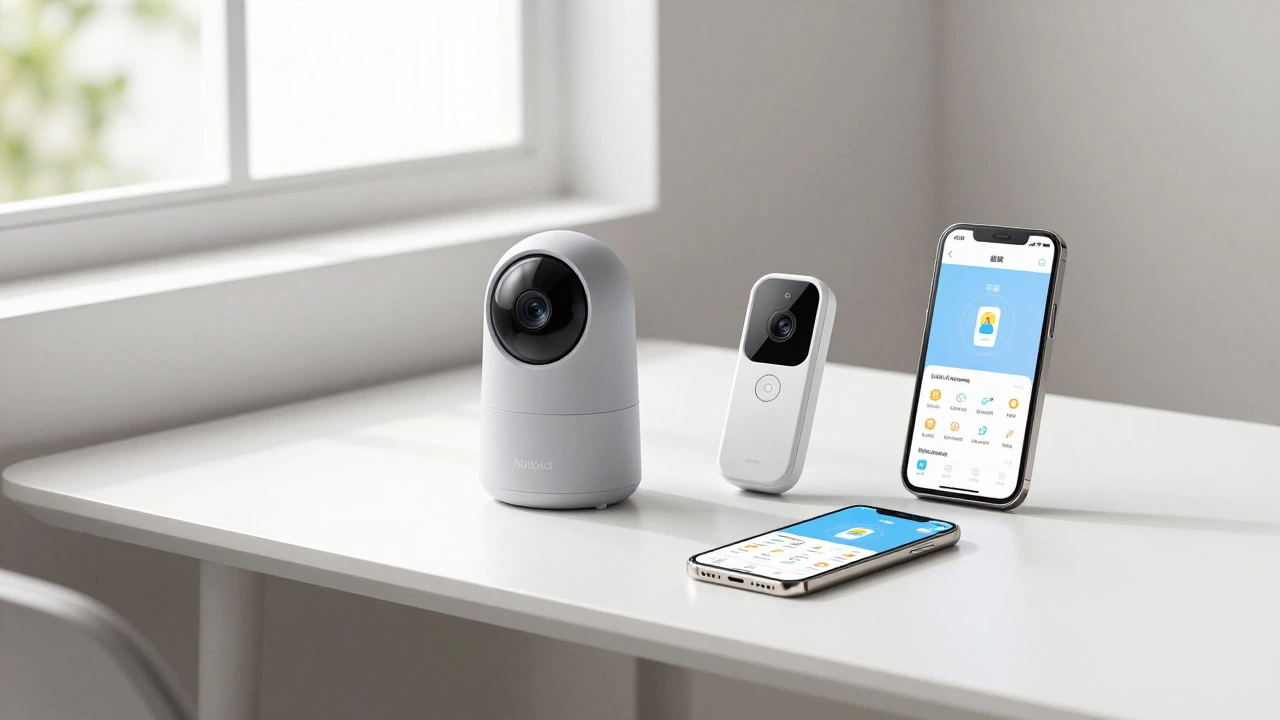
Recognizing the trade-offs between connectivity and reliability, manufacturers are increasingly releasing hybrid models. The Eufy E21 a hybrid baby monitor that switches between Wi-Fi and local radio frequency modes, released in 2023, exemplifies this trend. It offers remote access via Wi-Fi when available but automatically falls back to a local radio connection if the internet drops. This provides the best of both worlds: global accessibility and local resilience.
Industry analysts predict that hybrid models will capture 55% of the $2.8 billion baby monitor market by 2027. Motorola is also developing a hybrid system with automatic failover scheduled for early 2027. For parents who want the convenience of smartphone viewing but fear losing connection during emergencies, these hybrids are becoming the logical compromise.
Which Type Should You Choose?
Your decision should depend on your lifestyle and priorities. Consider these scenarios:
- Choose a Wi-Fi Monitor if: You frequently leave the house and need to check on the baby remotely. You already have a robust smart home setup and want integration with Alexa or Google Home. You value high-definition video recording and AI features like sleep tracking, and you don't mind paying a monthly subscription fee.
- Choose a Non-Wi-Fi Monitor if: You prioritize security and simplicity. You live in an area with unreliable internet or frequent power outages. You want a device that works instantly without complex setup or app troubleshooting. You prefer owning your data without sending it to the cloud.
- Choose a Hybrid Model if: You want remote access capabilities but need a backup plan for internet outages. You are willing to pay a premium for versatility and peace of mind.
For urban parents with stable fiber-optic connections, Wi-Fi models are often preferred for their convenience. Rural parents, however, tend to favor non-Wi-Fi models due to spotty internet coverage and the desire for self-reliance. Ultimately, the best baby monitor is the one you will actually use consistently without frustration.
Can I use a Wi-Fi baby monitor without Wi-Fi?
Generally, no. Standard Wi-Fi baby monitors require an active internet connection to function. However, some newer hybrid models like the Eufy E21 can switch to a local radio frequency mode if the Wi-Fi drops, allowing basic monitoring without internet.
Are Wi-Fi baby monitors safe from hackers?
They are safer than they used to be, thanks to AES-256 encryption, but they are not immune. To minimize risk, always change default passwords, keep firmware updated, and consider using a separate guest network for IoT devices. Non-Wi-Fi monitors are inherently more secure against remote hacking.
Why does my Wi-Fi baby monitor lag?
Lag occurs because video data travels through your router, your ISP, and cloud servers before reaching your phone. Network congestion, weak Wi-Fi signals, or slow upload speeds can increase latency to 2-5 seconds. Placing the camera closer to the router or upgrading your internet plan can help.
Do baby monitors emit harmful radiation?
No. Consumer Reports 2025 testing found that Wi-Fi monitors emit 0.8-1.2 W/m² at 1 foot, well below the FCC limit of 10 W/m². Emissions drop significantly at 6 feet. Experts recommend mounting cameras 6+ feet away from cribs for added precaution, but they are considered safe.
What is the range of a non-Wi-Fi baby monitor?
Non-Wi-Fi monitors typically have a range of 1,000 to 1,300 feet in open spaces. Walls, floors, and other electronic devices can reduce this range. They are ideal for monitoring within the same house but do not offer remote access outside the home.