Dark Mode vs. Night Mode Simulator
Settings
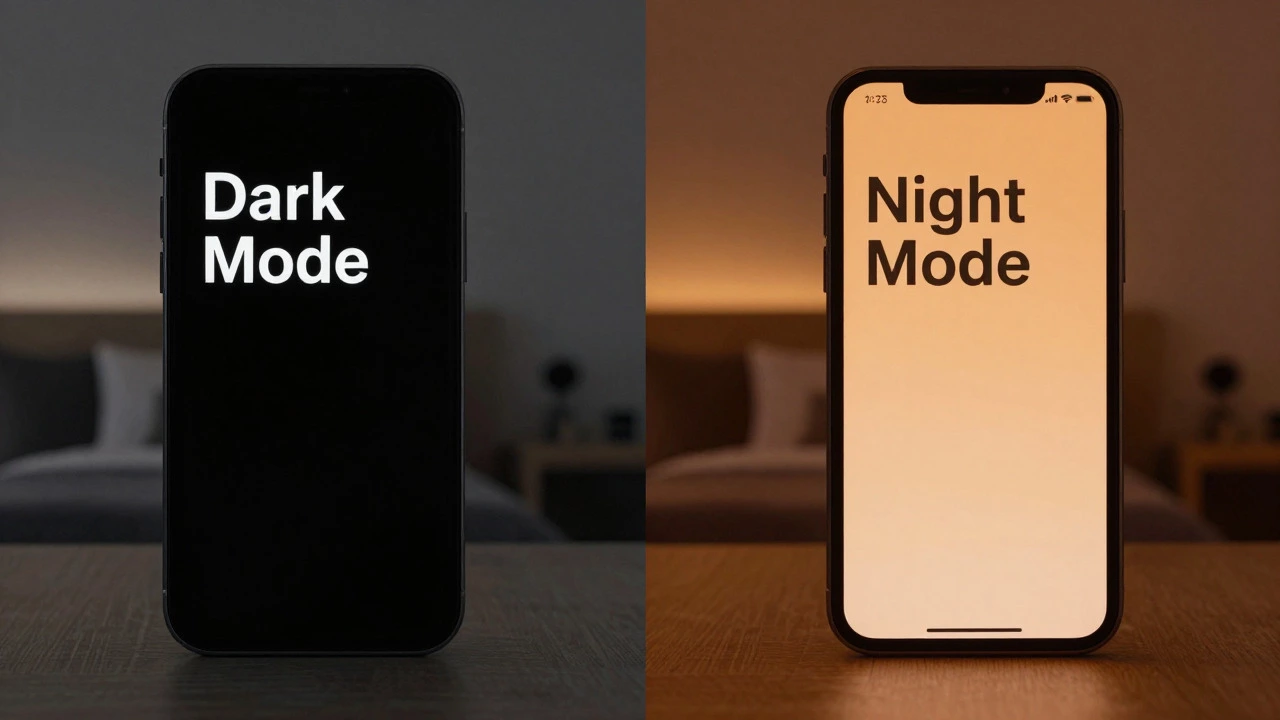
You’ve probably seen the toggle in your phone’s settings. One switch turns the background black; another makes everything look orange. You might think they’re just different names for the same thing. They aren’t. While marketing teams often blur the lines, dark mode is a user interface color scheme that uses light text on a dark background, whereas night mode (often called Night Shift or Blue Light Filter) is a spectral adjustment that warms the screen color to reduce blue light. Understanding this difference matters if you want to protect your sleep, save battery life, or simply read text without squinting.
The Core Distinction: Color Palette vs. Color Temperature
Think of it like lighting a room. Dark mode is like turning off the bright overhead lights and using a dim lamp. It changes what you see by flipping the colors-white text becomes light gray or white, and the white background becomes black or dark gray. This is technically known as changing the contrast polarity. Night mode, on the other hand, is like putting an amber-colored gel over that lamp. It doesn’t change the layout or the basic colors of the interface; it shifts the entire screen toward the warm end of the spectrum, reducing the harsh blue wavelengths.
This distinction isn't just semantic. Blue light is short-wavelength visible light (400-500 nm) that can suppress melatonin production and disrupt circadian rhythms. When you enable night mode features like Apple’s Night Shift or Android’s Night Light, the system applies a filter that lowers the screen’s color temperature from a standard daylight-like 6500 Kelvin down to warmer values around 3000-4000 Kelvin. Dark mode does not do this. It keeps the color temperature neutral but reduces the overall brightness emitted by the screen.
| Feature | Dark Mode | Night Mode (Blue Light Filter) |
|---|---|---|
| Primary Function | Changes UI color palette (light-on-dark) | Shifts color temperature (warm/amber tint) |
| Visual Effect | Inverts background and text colors | Adds yellow/orange overlay to all pixels |
| Main Benefit | Reduces glare, saves OLED battery | Reduces blue light exposure, aids sleep |
| Best Used When | In low-light environments or for aesthetic preference | In the evening before bed |
| Impact on Readability | Can reduce legibility for some users with astigmatism | Minimal impact on text clarity, only hue |
Why the Confusion? Platform Naming Wars
If the technical difference is clear, why do people mix them up? Because tech companies haven’t agreed on a single label. In the early days of smartphones, some manufacturers labeled their dark theme feature as "Night Mode." If you owned an older Samsung or Xiaomi device, you likely toggled "Night Mode" to get a black background. Google later standardized this as "Dark Theme" in Android 10 to avoid confusion with the separate blue-light filter.
Apple has been more consistent, separating the two features entirely. On iOS, you have Dark Mode is the system-wide dark interface theme introduced in iOS 13 and Night Shift, which handles the blue-light reduction. You can run both simultaneously. Many users don’t realize this because the visual effect of a dark screen at night feels similar whether you’re using one, the other, or both.
This inconsistency extends to web browsers and apps. Some websites use the term "Night Mode" in their settings menu to mean a dark theme. Others use it to trigger a sepia tone. As a user, the safest bet is to look at the preview icon next to the toggle. If it shows a moon with a dark circle, it’s likely a theme change. If it shows a sun setting or an eye icon, it’s likely a color temperature filter.
Health Implications: Sleep vs. Eye Strain
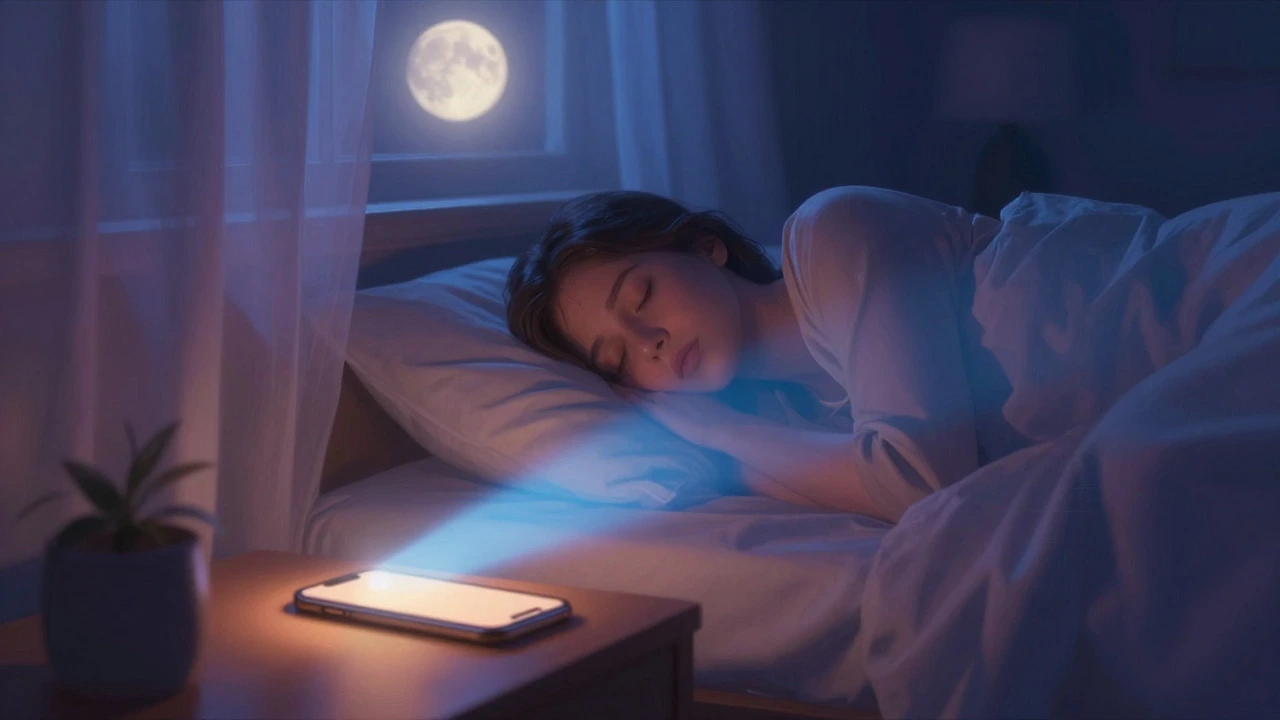
The reason these features exist is rooted in human biology and comfort. Night mode targets sleep health. Research into circadian rhythms shows that exposure to blue light in the evening tricks your brain into thinking it’s still daytime, suppressing the release of melatonin, the hormone that signals sleepiness. By filtering out those short wavelengths, night mode helps your body prepare for rest. It’s not about making the screen easier to read; it’s about making the environment less stimulating for your brain.
Dark mode, conversely, addresses eye strain and glare. In a dark room, a bright white screen acts like a flashlight in your eyes. The high contrast between the bright display and the dark surroundings forces your pupils to constrict and relax rapidly, leading to fatigue. Dark mode reduces the total amount of light entering your eyes. However, it’s not a cure-all. For people with astigmatism-a common refractive error where the cornea is irregularly shaped-reading light text on a dark background can actually cause halos and blur, making text harder to focus on. In these cases, a light theme with reduced brightness is often more comfortable than dark mode.
Battery Life and OLED Screens
There’s a practical benefit to dark mode that has nothing to do with your eyes: battery life. But this only applies if you have an OLED screen is a display technology where each pixel emits its own light, allowing true blacks when pixels are turned off. Most modern flagship phones and many mid-range devices use OLED or AMOLED panels. In these screens, displaying a black pixel means turning that sub-pixel completely off. It consumes zero power. Displaying white requires all red, green, and blue sub-pixels to fire at full intensity, consuming maximum power.
If you use dark mode on an OLED device, you can see significant battery savings, especially if you use the phone heavily for social media or messaging apps that have large black backgrounds. Night mode, however, has negligible impact on battery life. It simply alters the color mix of the pixels that are already lit. If you have an LCD screen, which uses a constant backlight, dark mode won’t save you much battery either, because the backlight stays on regardless of the image content.
What About Camera Night Mode?
Since we are talking about security and monitoring, it’s worth noting that "Night Mode" also appears in photography. On your smartphone camera, Night Mode is a computational photography technique. It takes multiple exposures over several seconds and stacks them together to create a brighter, clearer image in low light. This is completely unrelated to the display settings discussed above. It’s a processing algorithm, not a visual filter.
For home security cameras, the concept is similar but distinct. Security cameras use infrared LEDs to illuminate scenes in total darkness. This is often called IR night vision. Unlike smartphone night mode, which tries to mimic natural light, IR night vision produces monochrome (black and white) images because the sensor is sensitive to infrared light, which is invisible to the human eye. Some newer cameras offer "Color Night Vision," which uses a spotlight to provide enough visible light for color recording, but this can be intrusive. Understanding that camera night modes are about illumination and sensor sensitivity, while display night modes are about eye comfort, prevents confusion when configuring your smart home ecosystem.
How to Configure Them Correctly
To get the best experience, treat these features as complementary tools rather than alternatives. Here is a practical approach:
- Daytime Use: Keep Night Mode (blue light filter) off unless you are working under very warm, yellow indoor lighting. Use Dark Mode only if you prefer the aesthetic or are in a dimly lit office. For most reading tasks, light mode offers better contrast and readability.
- Evening Use: Enable Night Mode scheduled to start at sunset or one hour before bed. This protects your sleep cycle. Pair this with Dark Mode if you find the remaining brightness too harsh for your eyes in a dark room.
- Brightness Adjustment: Regardless of the mode, always lower your screen brightness to match the ambient light. A dark mode screen at 100% brightness will still hurt your eyes in a pitch-black bedroom.
On iPhone, go to Settings > Display & Brightness to manage Dark Mode and Settings > Display & Brightness > Night Shift for the color filter. On Android, look for "Dark theme" in Display settings and "Eye comfort shield" or "Night light" in the same menu. Most systems allow you to set schedules for both, so you don’t have to remember to toggle them manually every day.
Is dark mode better for your eyes than night mode?
It depends on the goal. Dark mode reduces glare and overall brightness, which can help with eye strain in dark rooms. Night mode reduces blue light, which helps regulate sleep cycles. For pure visual comfort during reading, neither is universally better; light mode often provides higher contrast and readability for most people, while dark mode helps those sensitive to bright light. Using both together is often the most comfortable option for nighttime use.
Does dark mode save battery on all phones?
No. Dark mode significantly saves battery only on devices with OLED or AMOLED screens, because black pixels are turned off. On LCD screens, which use a constant backlight, dark mode offers little to no battery savings.
Can I use dark mode and night mode at the same time?
Yes. Most modern operating systems like iOS and Android allow you to enable both simultaneously. You will have a dark interface with a warm, amber tint. This combination minimizes both glare and blue light exposure, making it ideal for late-night usage.
Why does my screen look orange in night mode?
The orange tint is intentional. It indicates that the blue light filter is active. Blue light has a short wavelength that can disrupt sleep hormones. By shifting the color temperature to a warmer, orange-red spectrum, the screen mimics the light of a sunset, signaling to your brain that it is time to wind down.
Is night mode the same as blue light filter?
Yes, in the context of display settings, "Night Mode" (on Android) or "Night Shift" (on iOS) is essentially a blue light filter. They function by reducing the intensity of blue wavelengths emitted by the screen. Different brands may use different names like "Eye Comfort Shield" or "Reading Mode," but the underlying technology is the same.