Security Camera Installation Cost Calculator
Estimated Labor Cost
Potential Hidden Costs
So you’ve picked out the cameras. You know which brand fits your budget, and you’ve decided on the number of lenses you need to cover your driveway, front door, and backyard. But then comes the question that makes most homeowners pause: how much will it actually cost to get these things mounted and working?
Hardware prices are transparent. You see them online every day. But labor cost to install security cameras? That’s often a black box until you’re standing at the door with a technician holding a quote sheet. In 2026, the average professional labor charge in the United States sits between $80 and $200 per camera for standard residential jobs. However, that number can swing wildly depending on whether you’re running wires through drywall or just sticking a wireless unit under an eave.
What is the average labor cost to install one security camera?
For a single residential camera, professional labor typically ranges from $80 to $200. This covers site assessment, mounting, basic wiring or network configuration, and testing. Simple wireless setups may be on the lower end, while wired systems requiring cable routing can hit the higher end.
Breaking Down the Per-Camera Labor Rate
When you hire a pro, you aren’t just paying for someone to screw a bracket into the wall. You’re paying for expertise in positioning, signal optimization, and system integration. According to data from MMS Pro AV and American Alarm, the standard band for this service is $80-$200 per unit. But why does it vary so much within that range?
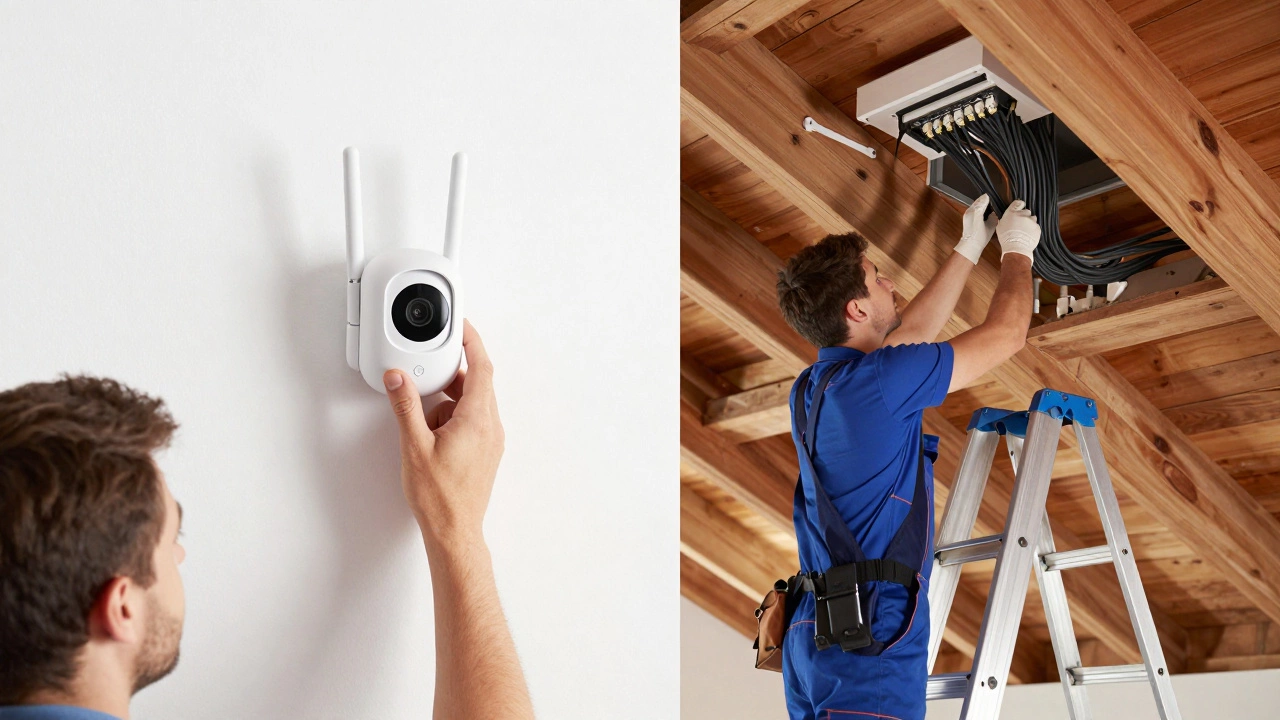
It usually comes down to complexity. If you have a simple Wi-Fi camera that plugs into an existing outdoor outlet and connects to your home router, the job might take thirty minutes. The labor cost here could dip toward $50-$80 if the installer is already on-site for other work. On the flip side, if you’re installing a wired Power over Ethernet (PoE) camera, the technician needs to run Cat6 cable from the camera location back to a central Network Video Recorder (NVR). That involves drilling, fishing wire through walls or attic spaces, and terminating connectors. That extra physical labor pushes the price closer to the $150-$200 mark.
Homewyse’s January 2026 calculator offers a broader view, estimating total installed costs (labor plus materials) between $94.71 and $227 per camera. Since hardware for mid-range cameras often costs $100-$200, this implies that labor frequently represents about 40% to 60% of the total upfront investment for a professionally installed system.
Project Size Matters: Economies of Scale
You might assume that installing four cameras costs four times as much as installing one. In reality, the per-camera labor rate drops as the project size increases. Backstreet Surveillance breaks this down clearly for different property sizes:
- Small Home (2-4 cameras): Total labor ranges from $100 to $500. This works out to roughly $25-$250 per camera. The high variance here is because small jobs often include a minimum trip fee or setup charge.
- Mid-Range Home (4-8 cameras): Total labor ranges from $500 to $1,000. This averages to about $63-$250 per camera. As the installer runs multiple cables along the same path, efficiency improves.
- Large Property/Business (8-16 cameras): Total labor ranges from $1,500 to $3,000. This brings the effective cost down to approximately $94-$188 per camera.
If you’re planning a full-home security overhaul, bundling all cameras into one contract is almost always cheaper than adding them one by one over time. Installers save on travel time and can batch similar tasks, like running conduit or configuring the NVR software.
| System Size | Total Labor Range | Avg. Cost Per Camera |
|---|---|---|
| 2-4 Cameras | $100 - $500 | $25 - $250 |
| 4-8 Cameras | $500 - $1,000 | $63 - $250 |
| 8-16 Cameras | $1,500 - $3,000 | $94 - $188 |
Wired vs. Wireless: The Hidden Labor Difference
The type of camera you choose dictates the labor intensity. Wired systems, particularly those using PoE technology, are generally more reliable and offer higher video quality without monthly subscription fees for bandwidth. However, they require physical cabling. MMS Pro AV notes that fully installed wired cameras cost $150-$500 per unit, while wireless options range from $130-$400. Given that hardware prices are similar across both types, the premium for wired installations often reflects the extra labor required to conceal and secure cables.
Wireless cameras, such as those from Ring, Arlo, or Wyze, seem easier because there are no video cables to run. But "wireless" doesn’t mean "no wiring." Most still need power. If you don’t have an outdoor GFCI outlet nearby, an electrician must run low-voltage power lines or install new outlets. This electrical work can easily add $100-$300 to the labor bill per camera, negating the savings you thought you’d get from avoiding video cables.
If your wireless cameras use battery power, the labor is minimal-mostly mounting and app configuration. In these cases, professional installation might only add $50-$100 per unit, which leads many homeowners to consider doing it themselves.
DIY vs. Professional Installation: Is It Worth Saving the Money?
Let’s talk numbers. If you opt for a DIY approach, you save the entire $80-$200 per camera labor fee. For a four-camera system, that’s potentially $800 saved. But what are you trading off?
Professional installers bring three key advantages: optimal placement, clean wiring, and system reliability. A pro knows exactly where to mount a camera to avoid glare, blind spots, and weather damage. They also know how to route cables discreetly so they don’t look like a spiderweb across your siding. More importantly, they configure the system correctly-setting up motion zones, ensuring the NVR records properly, and integrating with smart home hubs. If you set up a complex PoE system yourself and make a mistake in the VLAN configuration or cable termination, you might spend hours troubleshooting. At an hourly rate of $50-$100 for your own time, does the DIY saving still hold up?
For simple, battery-powered Wi-Fi cameras, DIY is often the smarter choice. The installation is literally stick-and-play. But for hardwired systems, especially those involving 4K resolution or advanced analytics, professional installation ensures you get the performance you paid for.
Hidden Costs Beyond the Initial Labor Bill
When budgeting for security cameras, the initial labor cost is just the tip of the iceberg. Several ongoing and hidden expenses can creep up:
- Cloud Storage Subscriptions: Many modern cameras require monthly fees to store video history. These range from $3 to $30 per month per camera, depending on retention length and features.
- Electrical Upgrades: If your home lacks sufficient outdoor power or network ports, you may need new circuits or switches. This can add $200-$500 in additional electrical labor.
- Permits and Licensing: Some municipalities require permits for exterior modifications or camera registration, particularly for businesses. Check local codes before starting.
- Maintenance and Repairs: Outdoor equipment degrades. Lenses get dirty, mounts loosen, and batteries die. Factor in occasional maintenance costs or service call fees.
Security.org’s 2026 guide highlights that total first-year costs for a modest system can range from $200 to $800, rising to $1,500+ for premium setups. This includes hardware, labor, and initial storage plans. Understanding this total cost of ownership helps you decide whether to splurge on professional installation now or handle it yourself later.
Regional Variations and Local Factors
Labor rates aren’t uniform across the country. While the national average hovers around $80-$200 per camera, metropolitan areas with higher costs of living-like New York, San Francisco, or Boston-often command premiums. Conversely, rural areas or regions with lower wage standards may see rates on the lower end of the spectrum. Homewyse allows users to input their ZIP code to adjust estimates, reflecting these local disparities.
Additionally, property type matters. Installing cameras on a single-story ranch home is straightforward. Mounting units on a two-story colonial or a brick facade requires ladders, scaffolding, or specialized tools, increasing labor time and risk. Complex roofs, stucco walls, or historic preservation restrictions can also drive up costs significantly.
How to Get an Accurate Quote
To avoid surprises, follow these steps when seeking quotes:
- Define Your Scope: Decide exactly how many cameras you want and where they’ll go. Sketch a rough diagram if possible.
- Choose Your System Type: Determine if you want wired (PoE), wireless (battery/Wi-Fi), or hybrid. This drastically affects labor.
- Get Multiple Quotes: Contact at least three local providers. Ask for a breakdown of labor vs. materials.
- Ask About Hidden Fees: Clarify if there are trip charges, overtime fees, or costs for unexpected wiring issues.
- Check Credentials: Ensure installers are licensed, insured, and experienced with your specific camera brand.
By understanding these factors, you can navigate the installation process with confidence, ensuring you pay fair market value for quality work that keeps your home secure.